How the moulding is drawn
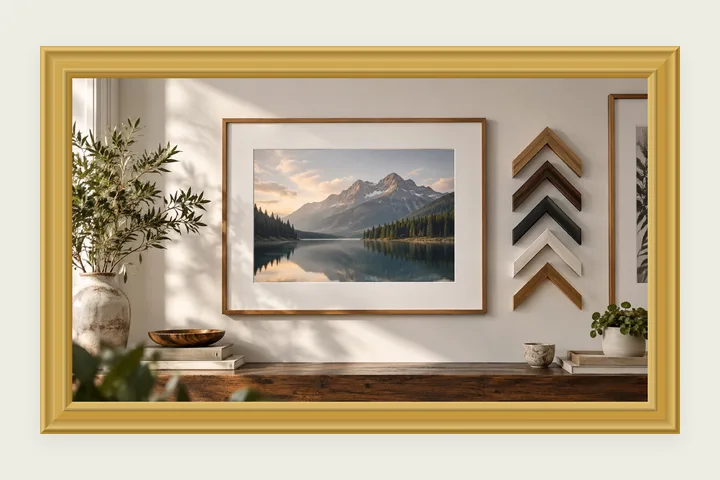
A real picture-frame moulding has a profile: in section it rises at the outside in a rounded lip, dips into a cove, runs flat, rises again in a bead and drops to the picture at the sight edge. This page draws that profile. Each facet is a gradient across its width, lighter where it faces the light and darker where it faces away, and the four sides meet in 45° mitres the way four lengths of moulding do in a real frame.
The gold is two colours you can change: the metal and its highlight. Silver, black lacquer and carved wood are the same section in other colours; the lacquer adds a thin gold edge next to the picture and the wood adds grain that runs along each side, drawn from a seed so it is the same every time you save. Light from and Carving depth change how strongly the facets are shaded.
Framing a photo in gold
- 1Open the photo. It is set in a gold moulding added around it.
- 2Set the width; raise Corner motif for decorative corners.
- 3Try Silver, Black lacquer or Carved wood from the Ornate family.
- 4Save at full size for printing, or as JPG for sharing.
Limits worth seeing before export
- It is a drawn moulding, not a photograph: it reads as gilt at print size, but it has no scratches, patina or real leaf texture.
- A wide moulding on a busy photo can take over. Around 8–12% of the short edge suits most pictures.
Questions about the rendered frame
Is the gold a photograph of a real frame?
No. The moulding is drawn: six facets across its width — a rounded lip, a cove, a flat, a bead and the edge that drops to the picture — each shaded by which way it faces the light. That is why it stays sharp on a large print and why every colour can be changed.
What does Light from do?
It sets where the light comes from, in degrees. 225 is the top left, the usual choice; the top and left sides of each facet catch the light and the bottom and right fall into shade, the same on all four sides so the corners meet cleanly.
How do I add the decorative corners?
Move Corner motif from None to Bracket, Flourish or Filigree — curling stems with a leaf and a rosette. Or pick the Filigree corners style, which opens with it on. The motif is mirrored into each corner and scales with the moulding.
Can I put a mat inside the gold?
Yes. On the photo mat page, raise Outer moulding and set its colour to gold; it uses the same carved section. For two to four photos in one gold frame, use several photos in one frame.
Other frame families
- Photo matA gallery mat with a bevelled cut, weighted bottom, V-groove or double mat, in millimetres.
- Wedding photo frameIvory with gold foil rules, filigree corners and the names and date along the bottom.
- Photo frame editorAll 55 frames drawn on your own photo, recoloured from the picture and saved at full size.